
Robux Tax Calculator – Calculate Robux After Tax
How Does Robux Tax Work?
Robux Tax Example
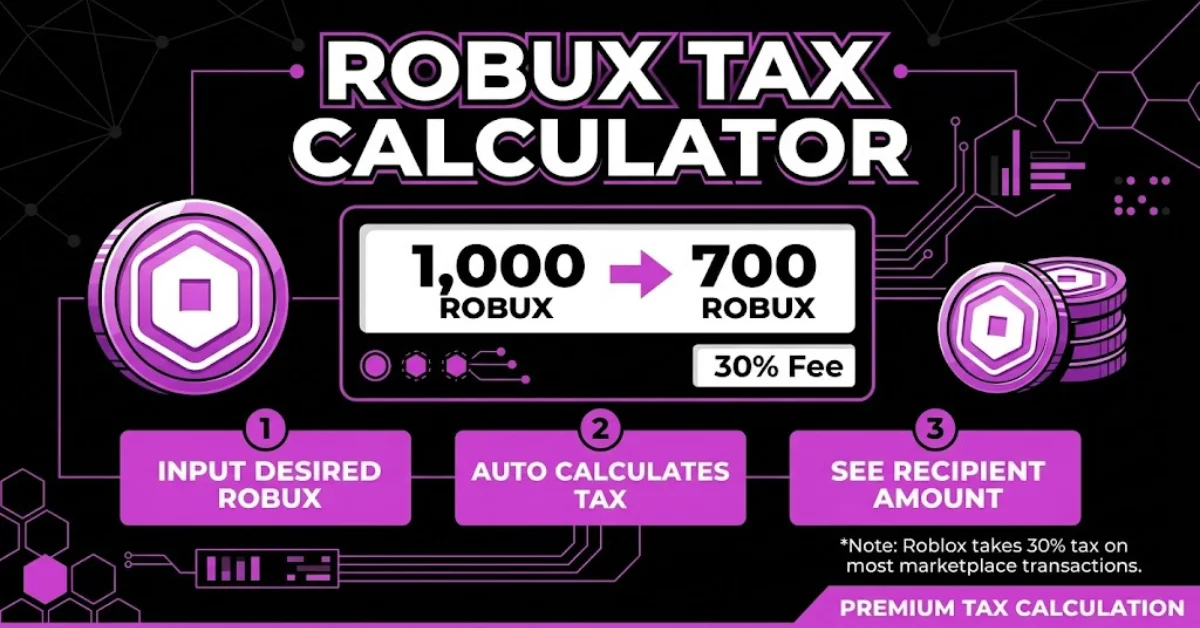
When Robux is earned through certain Roblox transactions, a portion of the Robux may be deducted as a platform fee before the creator receives the final amount. This is commonly referred to as Robux tax or Roblox tax. Understanding this deduction helps you know exactly how much Robux you can expect to receive from a transaction. For the standard Roblox marketplace fee, creators generally receive 70% of the Robux from a qualifying sale, while 30% is deducted as the platform fee. For example, if a qualifying transaction generates 1,000 Robux, the creator would receive 700 Robux after the 30% fee.This is why using a Robux Tax Calculator can be helpful. Instead of calculating the deduction manually, you can enter the Robux amount and quickly see the estimated amount you will receive after tax.
| Robux Before Tax | 30% Fee | Robux After Tax |
|---|---|---|
| 100 Robux | 30 Robux | 70 Robux |
| 500 Robux | 150 Robux | 350 Robux |
| 1,000 Robux | 300 Robux | 700 Robux |
| 5,000 Robux | 1,500 Robux | 3,500 Robux |
How to Calculate Robux After Tax
Calculating Robux after tax is simple when you know the applicable fee. For the standard 30% Roblox fee, you keep 70% of the original Robux amount.
To calculate your estimated Robux after tax, use this formula:
Robux After Tax = Robux Before Tax × 0.70
For example, if you earn 1,000 Robux from a qualifying transaction:
1,000 × 0.70 = 700 Robux
So, you would receive an estimated 700 Robux after the 30% fee.
You can also use our Robux Tax Calculator to perform the calculation automatically. Enter the amount of Robux you want to calculate, and the tool will show the estimated amount remaining after the fee.
Quick Robux After Tax Examples
- 100 Robux → 70 Robux
- 400 Robux → 280 Robux
- 500 Robux → 350 Robux
- 800 Robux → 560 Robux
- 1,000 Robux → 700 Robux
- 5,000 Robux → 3,500 Robux
This makes it easier to estimate your Robux earnings before setting a price or completing a qualifying transaction.
Robux Tax Calculator Formula
Understanding the Robux Tax Calculator formula helps you calculate both the amount you will receive after a fee and the amount you need to charge to receive a specific number of Robux.
For the standard 30% fee, the basic formula is:
Robux After Tax = Robux Before Tax × 0.70
For example, if the original amount is 2,000 Robux:
2,000 × 0.70 = 1,400 Robux
You would receive an estimated 1,400 Robux after tax, with 600 Robux representing the 30% fee.
How to Calculate Robux Before Tax
You can also calculate how much Robux you need to charge if you want to receive a specific amount after the fee.
Use this formula:
Robux Before Tax = Desired Robux ÷ 0.70
For example, if you want to receive 1,000 Robux:
1,000 ÷ 0.70 = 1,428.57
You would need to charge approximately 1,429 Robux to receive around 1,000 Robux after a 30% fee.
Our Robux Tax Calculator handles these calculations automatically, making it easier to check your expected payout or determine the amount needed before tax.
Quick Reverse Calculation Examples
| Desired Robux After Tax | Approximate Amount Before Tax |
|---|---|
| 100 Robux | 143 Robux |
| 500 Robux | 715 Robux |
| 1,000 Robux | 1,429 Robux |
| 2,000 Robux | 2,858 Robux |
| 5,000 Robux | 7,143 Robux |
Robux After Tax Examples
If you want to quickly understand how the Roblox fee affects your Robux, the examples below show common amounts before and after tax. Using the standard 30% fee, you keep approximately 70% of the original Robux amount.
How Much Is 100 Robux After Tax?
If you have 100 Robux before tax, a 30% fee is 30 Robux.
100 × 0.70 = 70 Robux
So, 100 Robux after tax is approximately 70 Robux.
How Much Is 400 Robux After Tax?
For 400 Robux:
400 × 0.70 = 280 Robux
You would receive approximately 280 Robux after tax.
How Much Is 500 Robux After Tax?
For 500 Robux:
500 × 0.70 = 350 Robux
So, 500 Robux after tax is approximately 350 Robux.
How Much Is 800 Robux After Tax?
For 800 Robux:
800 × 0.70 = 560 Robux
You would receive approximately 560 Robux after tax.
How Much Is 1,000 Robux After Tax?
For 1,000 Robux:
1,000 × 0.70 = 700 Robux
So, 1,000 Robux after tax is approximately 700 Robux.
How Much Is 5,000 Robux After Tax?
For 5,000 Robux:
5,000 × 0.70 = 3,500 Robux
You would receive approximately 3,500 Robux after tax.
Quick Robux After Tax Table
| Robux Before Tax | 30% Fee | Robux After Tax |
|---|---|---|
| 100 | 30 | 70 |
| 400 | 120 | 280 |
| 500 | 150 | 350 |
| 800 | 240 | 560 |
| 1,000 | 300 | 700 |
| 5,000 | 1,500 | 3,500 |
Robux Before Tax vs. After Tax
When calculating Robux earnings, it is important to understand the difference between Robux before tax and Robux after tax. The amount before tax is the original Robux value from a qualifying transaction, while the amount after tax is what remains after the applicable Roblox fee is deducted.
With a standard 30% fee, approximately 70% of the original Robux amount remains after the deduction.
Robux Before Tax
Robux before tax refers to the total amount generated before the applicable fee is deducted. For example, if a transaction generates 1,000 Robux, the starting amount is 1,000 Robux.
Robux After Tax
Robux after tax is the estimated amount remaining after the 30% fee. Using 1,000 Robux as an example:
1,000 × 70% = 700 Robux
So, the estimated amount after the fee is 700 Robux.
| Robux Before Tax | Fee (30%) | Robux After Tax |
|---|---|---|
| 100 | 30 | 70 |
| 500 | 150 | 350 |
| 1,000 | 300 | 700 |
| 2,000 | 600 | 1,400 |
| 5,000 | 1,500 | 3,500 |
If you already know how much Robux you want to receive, you can use the reverse calculation to determine the approximate amount needed before the fee. Our Robux Tax Calculator makes both calculations quick and easy.
Always keep in mind that the actual amount received can depend on the specific Roblox transaction and the rules that apply to it.
Game Pass Tax Calculator
If you earn Robux through a Roblox Game Pass, understanding the applicable fee can help you estimate your final payout. A Game Pass Tax Calculator lets you quickly calculate how much Robux may remain after the standard platform fee.
For a standard 30% fee, the creator receives approximately 70% of the Robux generated from a qualifying Game Pass sale. For example, if a Game Pass is sold for 1,000 Robux, the estimated amount remaining after the fee would be 700 Robux.
How to Calculate Game Pass Robux
The basic calculation is:
Robux After Fee = Game Pass Price × 0.70
For example:
500 × 0.70 = 350 Robux
A Game Pass priced at 500 Robux would therefore result in an estimated 350 Robux after a 30% fee.
How Much Should I Price My Game Pass?
If you have a specific amount of Robux you want to receive, you can work backwards using the reverse calculation:
Game Pass Price = Desired Robux ÷ 0.70
For example, to receive approximately 1,000 Robux:
1,000 ÷ 0.70 = 1,428.57
You would need to set the price at approximately 1,429 Robux based on this calculation.
Our Robux Tax Calculator can help you perform these calculations quickly, whether you want to check the estimated payout from a Game Pass or determine the approximate price needed to reach a target amount.
Note: Fees and payout rules can vary depending on the type of Roblox transaction. Use the calculator as an estimate and check the applicable Roblox rules for your specific transaction.
PLS DONATE Robux Tax Calculator
PLS DONATE is a popular Roblox experience where players can support each other by purchasing donation items. If you receive Robux through a donation, you may not receive the full amount shown on the donation item because Roblox fees can affect the final payout.
Our Robux Tax Calculator can help you estimate the amount of Robux remaining after a standard 30% platform fee. For example, if the applicable fee is 30% and someone purchases a donation item for 500 Robux, the estimated amount after the fee would be:
500 × 0.70 = 350 Robux
So, the estimated payout would be 350 Robux.
PLS DONATE Tax Examples
Robux before tax refers to the total amount generated before the applicable fee is deducted. For example, if a transaction generates 1,000 Robux, the starting amount is 1,000 Robux.
| Donation Amount | Estimated 30% Fee | Estimated After Fee |
|---|---|---|
| 100 Robux | 30 | 70 |
| 500 Robux | 150 | 350 |
| 1,000 Robux | 300 | 700 |
| 5,000 Robux | 1,500 | 3,500 |
If you earn Robux through a Roblox Game Pass, understanding the applicable fee can help you estimate your final payout. A Game Pass Tax Calculator lets you quickly calculate how much Robux may remain after the standard platform fee.
For a standard 30% fee, the creator receives approximately 70% of the Robux generated from a qualifying Game Pass sale. For example, if a Game Pass is sold for 1,000 Robux, the estimated amount remaining after the fee would be 700 Robux.
Frequently Asked Questions
A Robux Tax Calculator is a tool that estimates how much Robux you may receive after an applicable Roblox fee. It can also help you calculate how much you may need to charge to receive a specific amount of Robux.
With a standard 30% fee, approximately 70% of the original amount remains. For example, 1,000 Robux before the fee would result in an estimated 700 Robux after the fee.
To calculate Robux after tax, multiply the original amount by 0.70 when a 30% fee applies.
Example:
1,000 × 0.70 = 700 Robux
You can also use our calculator to do the calculation automatically.
If a 30% fee applies, 100 Robux would result in approximately 70 Robux after the fee.
If you want to receive a specific amount of Robux after a 30% fee, divide your desired amount by 0.70.
For example, to receive approximately 500 Robux:
500 ÷ 0.70 = 714.29
So, the required price would be approximately 715 Robux.
Our calculator provides an estimate based on the fee percentage used for the calculation. Actual payouts can depend on the specific Roblox transaction and the rules applicable at the time, so the calculator should be used as an estimation tool.
500 Robux would result in approximately 350 Robux after the fee when a 30% fee applies.
1,000 Robux would result in approximately 700 Robux after the fee when a 30% fee applies.
To receive approximately 1,000 Robux after a 30% fee, use the reverse calculation:
1,000 ÷ 0.70 = 1,428.57
So, you would need approximately 1,429 Robux before the fee.
Roblox transactions involving Game Passes can include a platform fee. The amount you ultimately receive depends on the applicable transaction rules. Our Game Pass Tax Calculator can help estimate the payout using the selected fee rate.
You generally cannot simply remove an applicable Roblox platform fee from a qualifying transaction. Instead, you can use a Robux Tax Calculator to understand the expected deduction and set an appropriate price.